I still remember the night Call of Duty Mobile finally went worldwide. I had played console shooters for years, but I wanted to see if a phone could deliver that same AAA rush. Within minutes, I was sprinting through Crash, firing an M4, and grinning at how absurdly good it looked. The game captured the aesthetic of the full console titles, and it gave me that excellent flow that kept me playing for hours. In 2026, after countless seasons and updates, that flow is still why I return. But if you are an experienced console or PC player, the touch screen controls will take adjustment. They are mostly similar to other mobile shooters and battle royale titles with on-screen controls, like PUBG Mobile, but Call of Duty Mobile differs in a few key areas. This is what I learned the hard way.
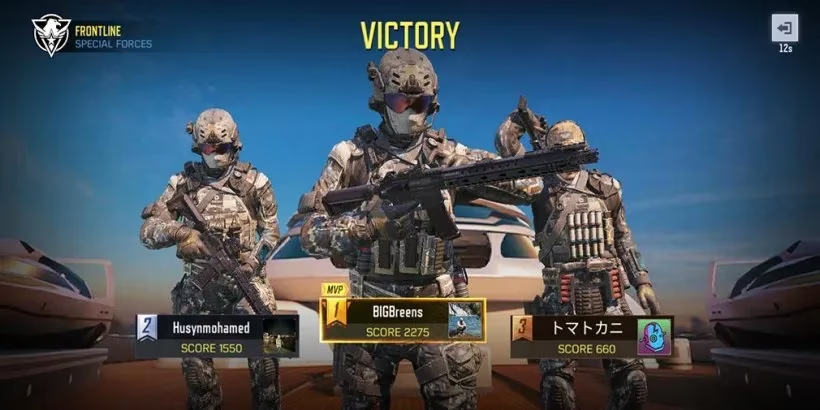
Simple Mode vs Advanced Mode
When I first opened settings, Simple Mode looked tempting. One tap, and my soldier would shoot. It seemed perfect for someone who had never used touch controls. But I quickly realized its applications are weak. The hipfire accuracy in this game is not generous, and automatic firing is a strict disadvantage. I was just giving my position away every time my weapon barked at nothing. In multiplayer, that gets you killed. In battle royale, it gets your squad wiped.
Advanced Mode, however, gives you all the tools you need. Dual-stick movement. ADS. A separate fire button on the left of the screen. Crouch, jump, reload, the works. I switched and never looked back.
| Feature | Simple Mode | Advanced Mode |
|---|---|---|
| Movement | Basic | Dual-stick |
| Aiming | Automatic | ADS and hipfire |
| Fire button | Auto | Separate left-side button |
| Crouch / Jump / Reload | Limited | Full control |
| Best for | Absolute beginners | Anyone who wants to improve |
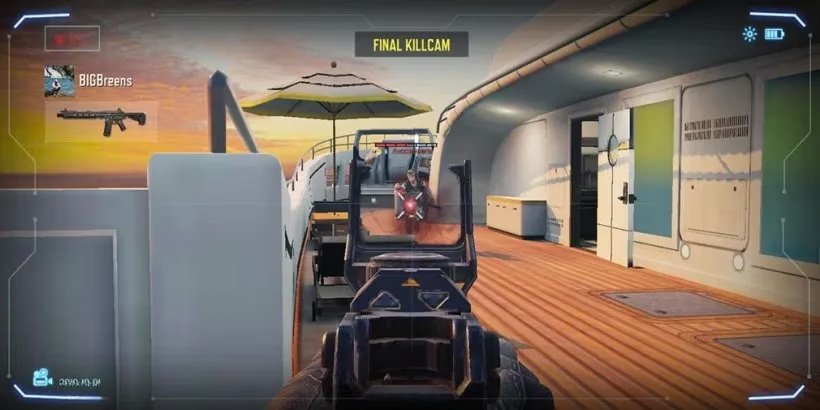
Why I Aim Down Sights More Than I Hipfire
You can use hipfire in close-quarters situations, of course. I do it when someone surprises me around a corner. But I found it to be more inaccurate than you might expect. As such, I can only really recommend aiming down the sight of your weapon more often than not. ADS tightens your spread, slows your movement just enough to steady your shot, and lets you track enemies across the screen. On a phone, that precision matters even more than on a console.
When you are standing in an ideal position, you can ADS on the right side of the screen, use the right side to aim, and then there is a fire button on the left. It is incredibly useful for these situations. I like to post up near a window or at the end of a long lane, aim down sights, and tap that left fire button while my right thumb adjusts. It feels awkward for the first hour. Then it feels like second nature.
But of course, this button combination can make more immediate, close-range combat more dangerous. If an enemy slides into my face, I cannot always rely on a slow ADS. That is why I practice a quick hipfire burst, then strafe, then ADS again. The key is not to treat Advanced Mode as a fixed layout. It is a starting point.
My 2026 Adjustments
In 2026, Call of Duty Mobile has more weapons, more modes, and more players than ever. The fundamentals from that first worldwide launch still hold. Here is what I tell every new player:
-
🎮 Start with Advanced Mode after your first few matches. Simple Mode teaches you the map, but it caps your skill.
-
🎯 Raise your ADS sensitivity gradually. Do not copy a pro player's settings blindly.
-
🕹️ Move the fire button to the left side and make it large enough to hit without looking.
-
🔫 Use hipfire only when the enemy is already inside your crosshair. Otherwise, ADS.
-
🧱 Play cover. Advanced controls do not save you if you stand in the open.
-
🧠 Practice in the training mode. Ten minutes a day beats ten hours of ranked frustration.
I still lose firefights. I still panic when a shotgun rusher appears from nowhere. But I no longer blame the touch screen. Call of Duty Mobile manages to capture the aesthetic of the full AAA console titles, and with Advanced Mode, it also gives you the excellent feel of flow that keeps you playing for hours. If you are coming from PC or console, give yourself permission to be bad for a week. Then customize, practice, and aim down sights. The game will click.
Maybe I will see you on the battlefield. I will be the one crouching behind cover, ADS on the right, fire button on the left, trying not to give my position away.